Confirm a booking
Turn an accepted quote into confirmed work, once the journey and price are ready.
Open the quote and select Confirm booking. DTE checks that the booking has the information required for confirmation, including a customer, usable journey details and the commercial details required by your setup. When confirmation succeeds, the record moves from Quotes to Jobs; allocation and work-ticket tasks can then follow.
Before you start
You need Bookings access and permission to manage bookings.
- The customer has accepted the quote.
- The quote has a customer, journey dates and times, pickup and drop-off details, passenger information, a vehicle type and a price.
Open the accepted quote
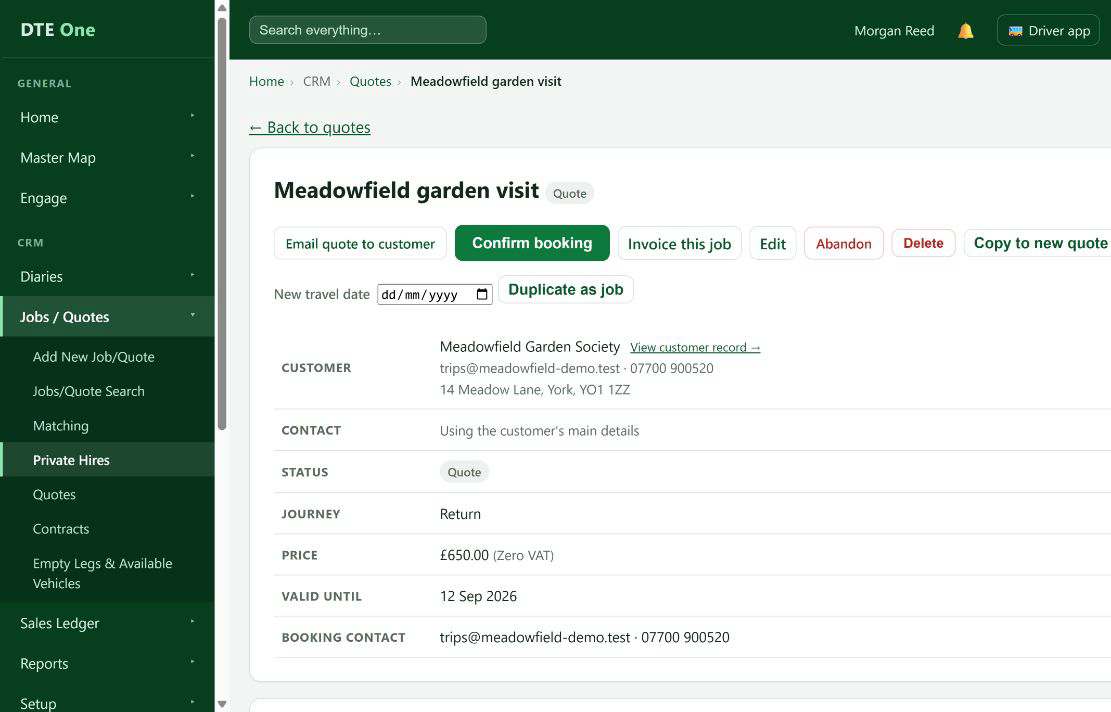
Open Quotes and select the quote the customer has accepted.
 Open full size
The booking page shows the quote status and journey details.
Check the work is ready
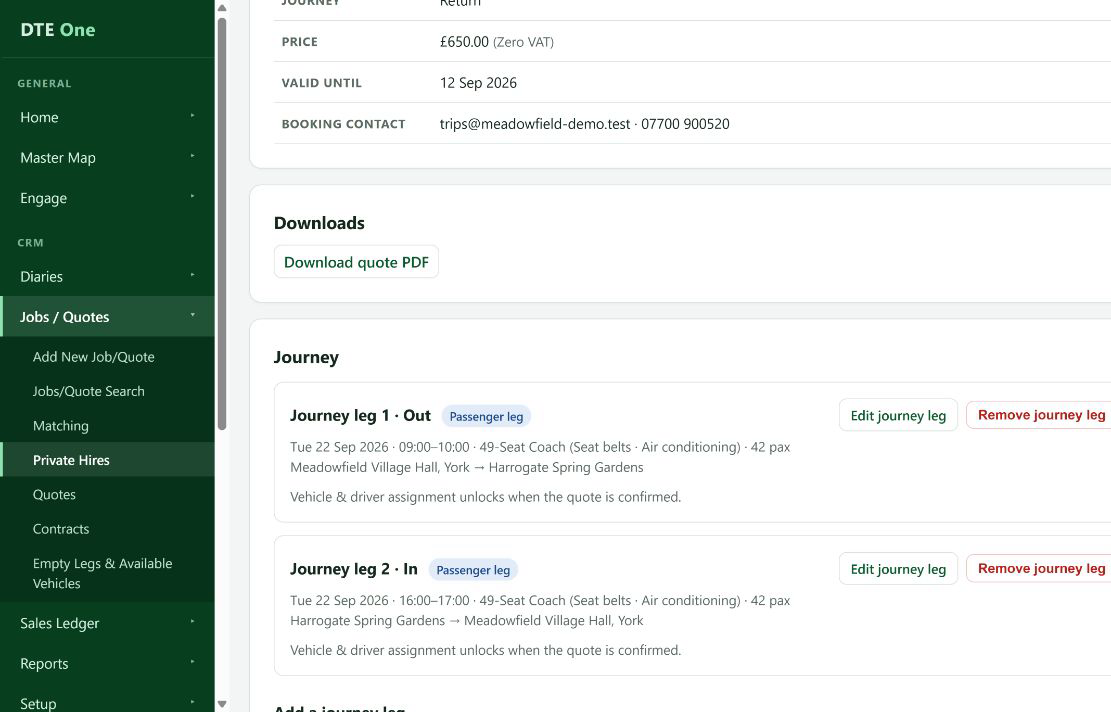
Check the customer, journey dates and times, pickup and drop-off, passenger requirements, vehicle type and price. Use Edit if anything needs correcting.
 Open full size
The booking information is ready to become confirmed work.
Confirm the booking
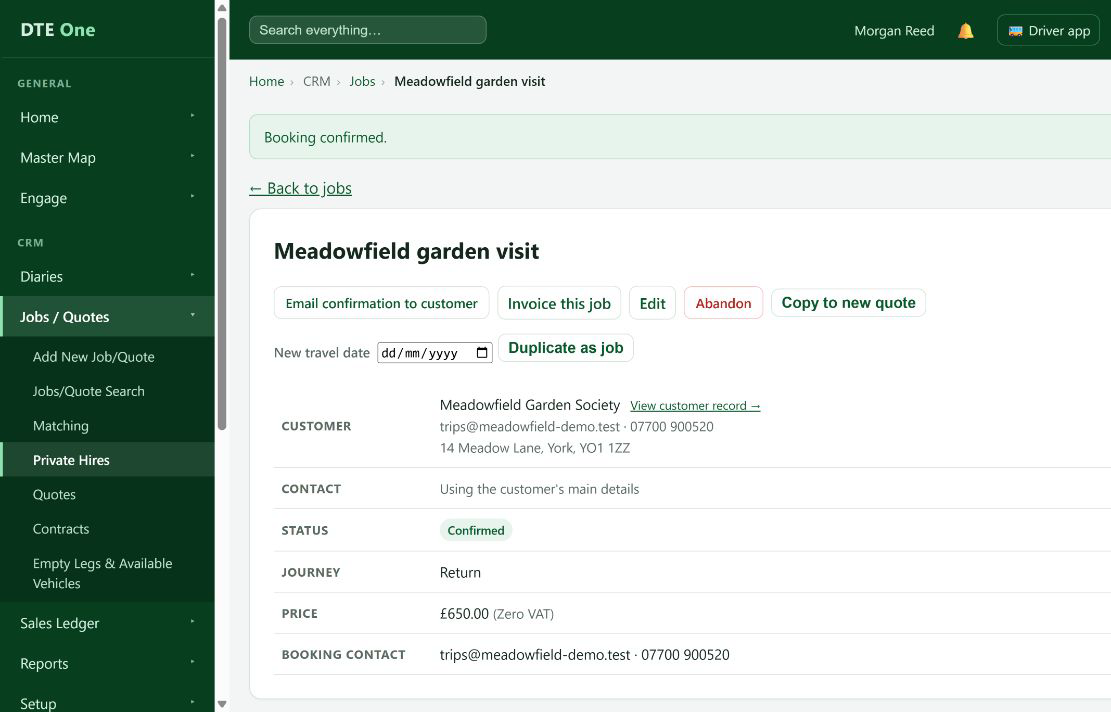
Select Confirm booking and follow any on-screen confirmation prompt.
 Open full size
A success message confirms the change and the record status becomes Confirmed.
Move to dispatch preparation
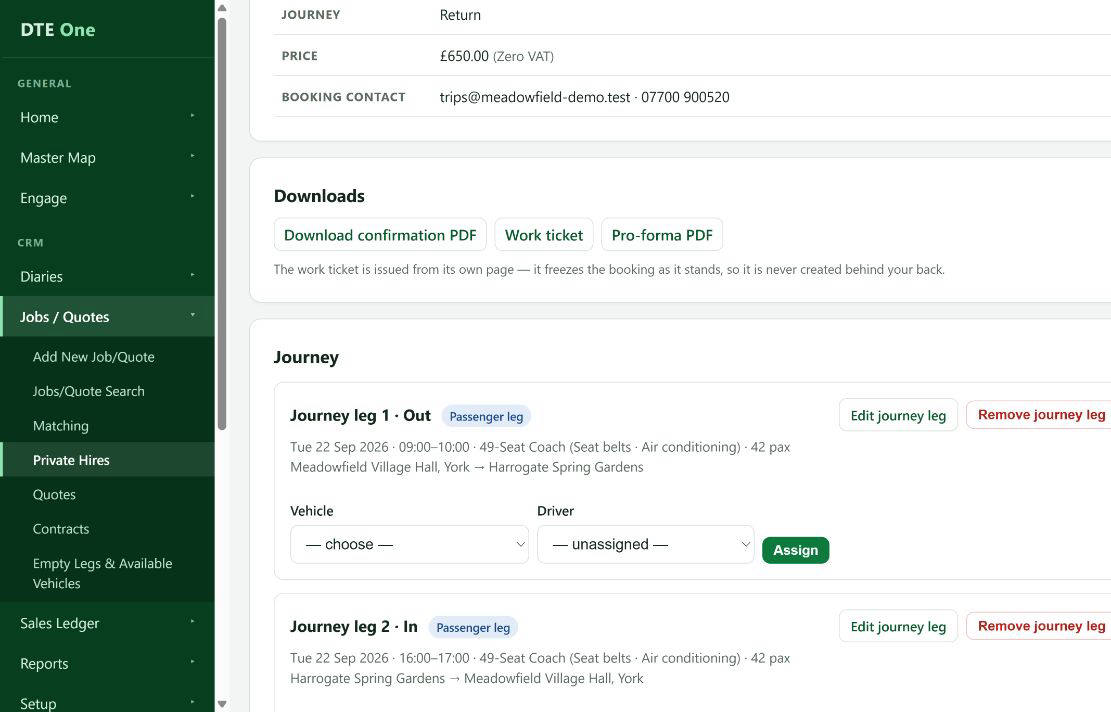
Once confirmed, allocate the vehicle and driver for each journey leg when those arrangements are known.
 Open full size
The confirmed booking is available in Jobs and can be prepared for dispatch.
Check it worked
- The booking status is Confirmed.
- The record is shown under Jobs instead of Quotes.
Something not quite right?
Why can't I confirm the quote?
DTE will explain which readiness details are missing. Complete the customer, journey, passenger, vehicle-type and price details, then try again.
Why does the customer show On stop?
You can keep or amend a quote for a customer on stop, but DTE will not confirm new work for them until the stop is cleared.
Can I confirm from the new quote form?
Yes. Save & confirm booking creates a confirmed booking immediately when all required details are ready.
Can I put a confirmed booking back to a quote?
Use the booking page's revert action if your process permits it. Reverting can void issued work tickets and cancels open payment attempts, so check first.