Upload and find a document
Store an operator document securely, set its expiry details, and choose whether it is publicly downloadable.
Open Manage documents and select Add new document. Enter a name, optional description, who it concerns, expiry date and reminder period. Choose Public only when anyone may download it from your public documents page. Upload one PDF or image up to 10 MB, then select Upload document. Use the document list to search, download, edit or manage shares.
Before you start
You need Documents access with permission to make changes. Documents access at view level lets you download existing documents.
- Have the file ready as a PDF, JPG, JPEG, PNG or GIF, no larger than 10 MB.
- Know whether it concerns the company or a specific team member.
- Decide whether public, no-login download is appropriate.
Open a new document
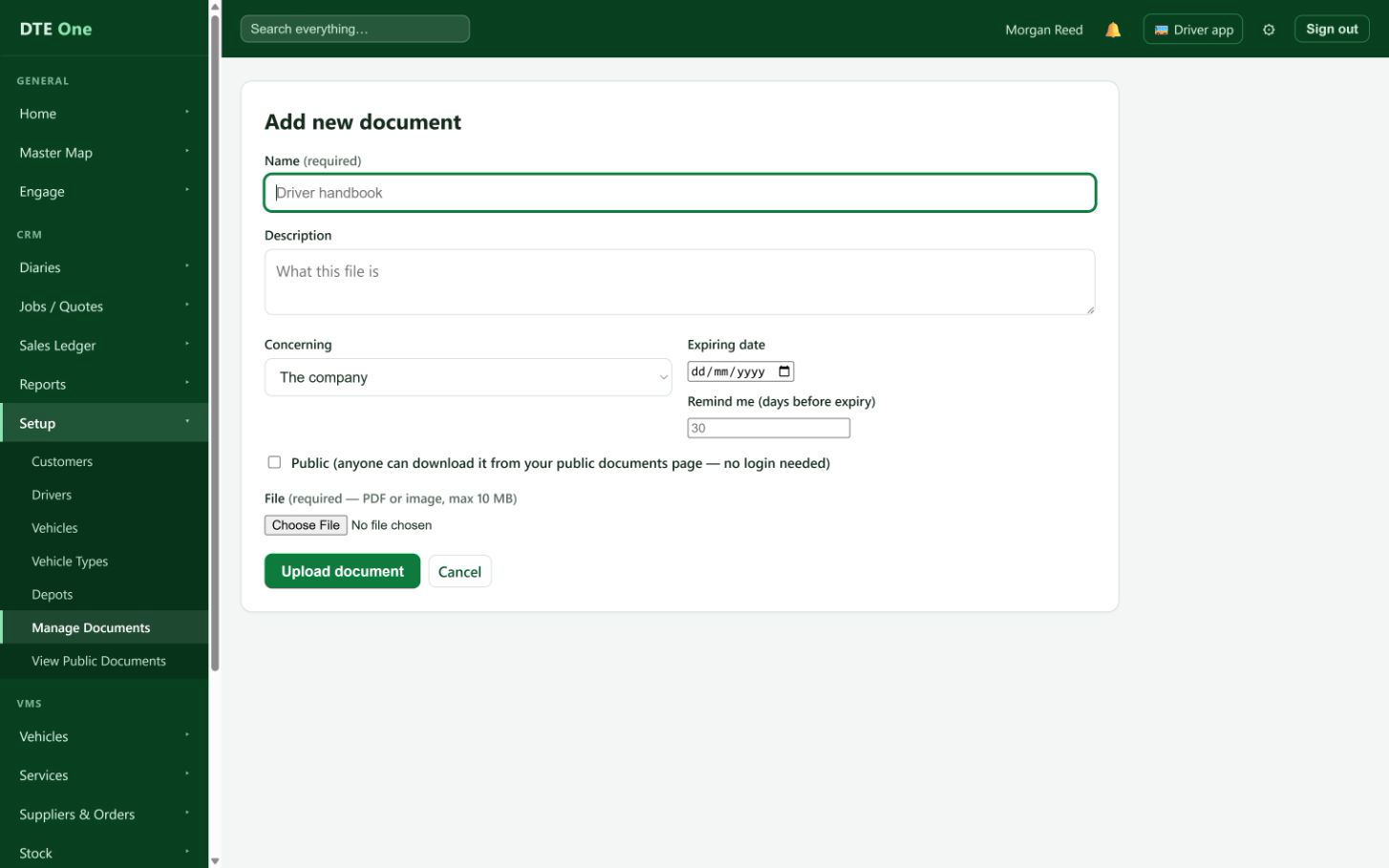
Open Manage documents and select Add new document.
 Open full size
The Add new document form opens.
Describe and date the document
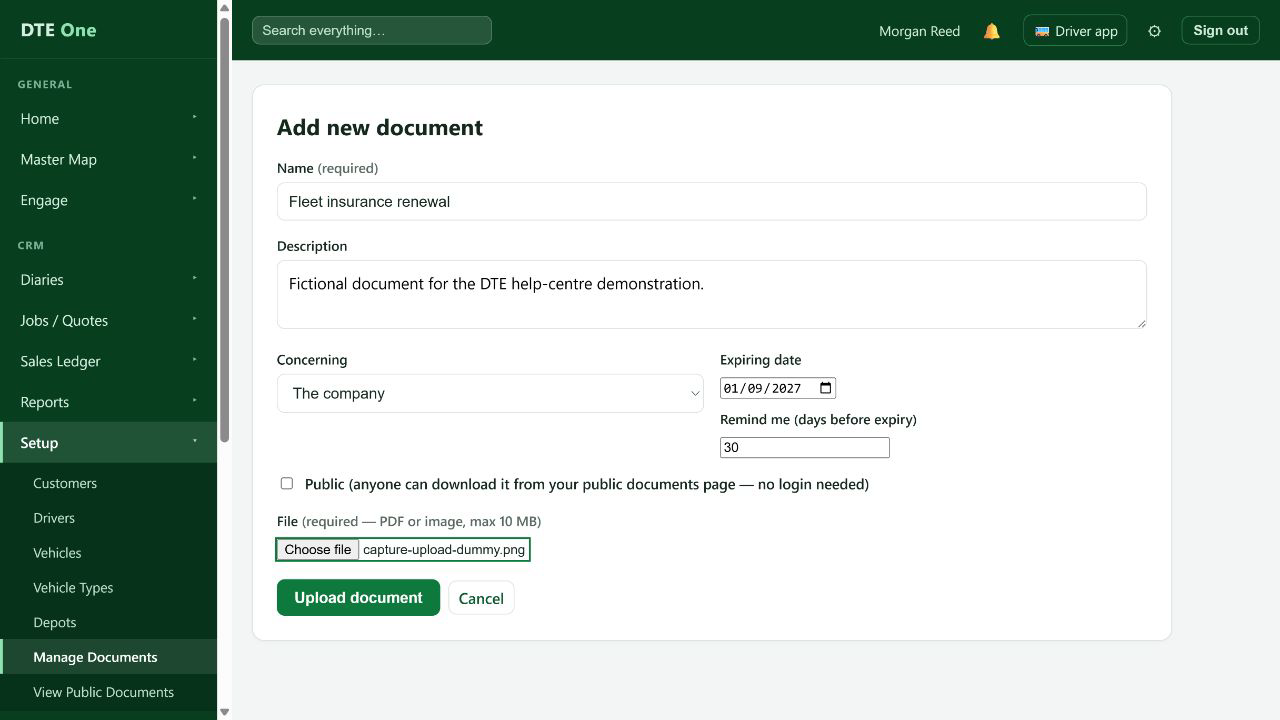
Enter a clear Name and optional Description. Select the person it concerns, or leave Concerning as The company. Add an Expiring date and Remind me days before expiry when they apply.
 Open full size
The document has a clear name, ownership and optional expiry reminder.
Choose visibility carefully
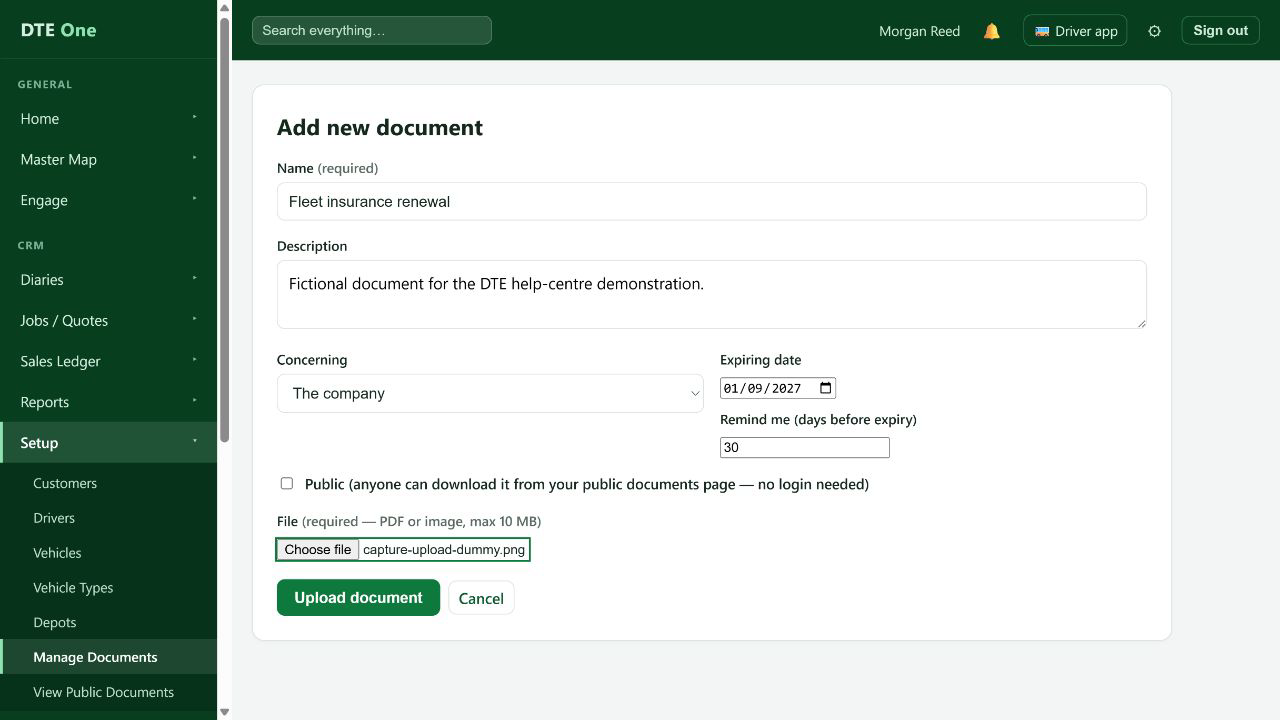
Select Public only when anyone should be able to download the file from your public documents page without signing in. Leave it clear for an internal document.
 Open full size
The Public choice matches who should be able to access the file.
Upload the file
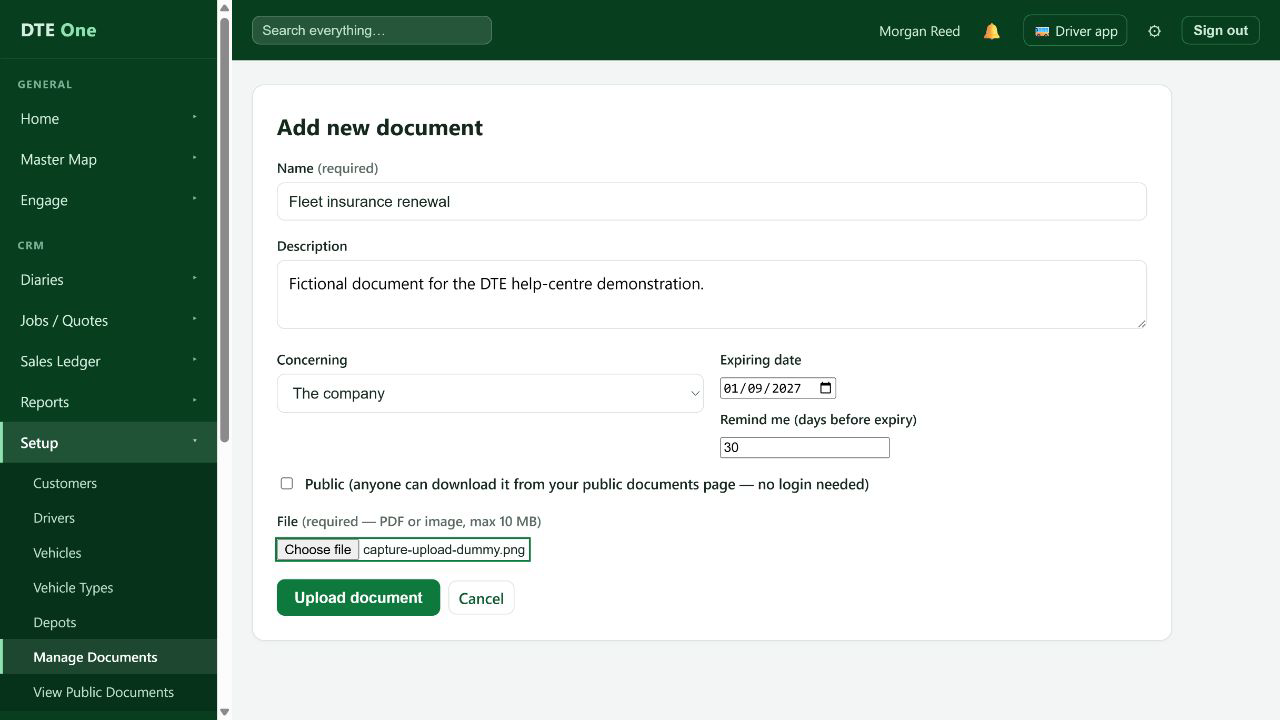
Choose one PDF or image file. The file is required for a new document and must be 10 MB or smaller. Then select Upload document.
 Open full size
A confirmation appears and the document is listed.
Find, download or share it
Use Manage documents to find the saved record, download it or edit its details. Public documents can also be included in controlled document shares; those links have a selected expiry and can be revoked from Document shares.
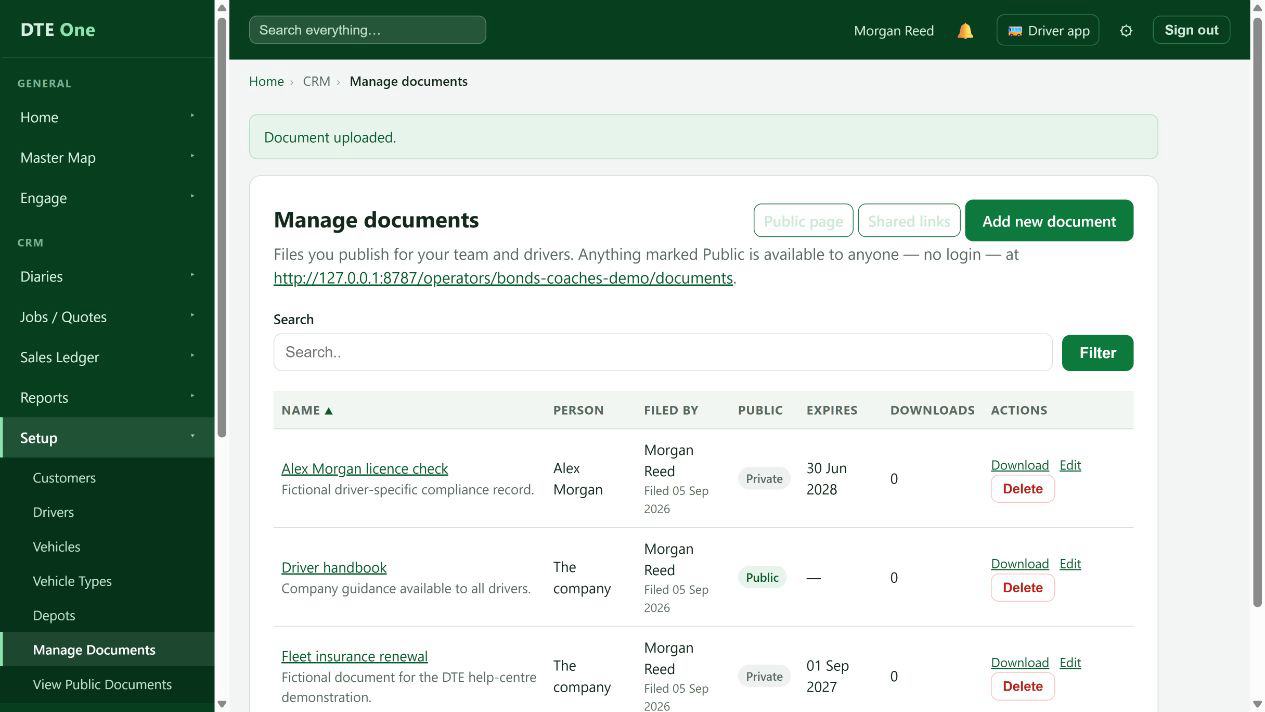 Open full size
The document is available from the list and any share is managed separately.
Check it worked
- The document appears in Documents with the correct name and expiry details.
- The file downloads for authorised users.
- Its Public setting matches the intended audience.
Something not quite right?
Why will the file not upload?
Use a PDF, JPG, JPEG, PNG or GIF no larger than 10 MB.
Should I make this document Public?
Only if anyone may download it without signing in from your public documents page. Keep internal documents private.
Can I replace a file later?
Yes. Edit the document and choose a replacement file, or leave the file blank to keep the current one.
What is the difference between Public and a document share?
Public publishes the document on your public documents page. A document share is a separately managed, expiring link for selected public documents.